Create
Script & Story
Write, improve and break down your script with a director that plans coverage scene by scene.
- Story bible, world, cast & outfits
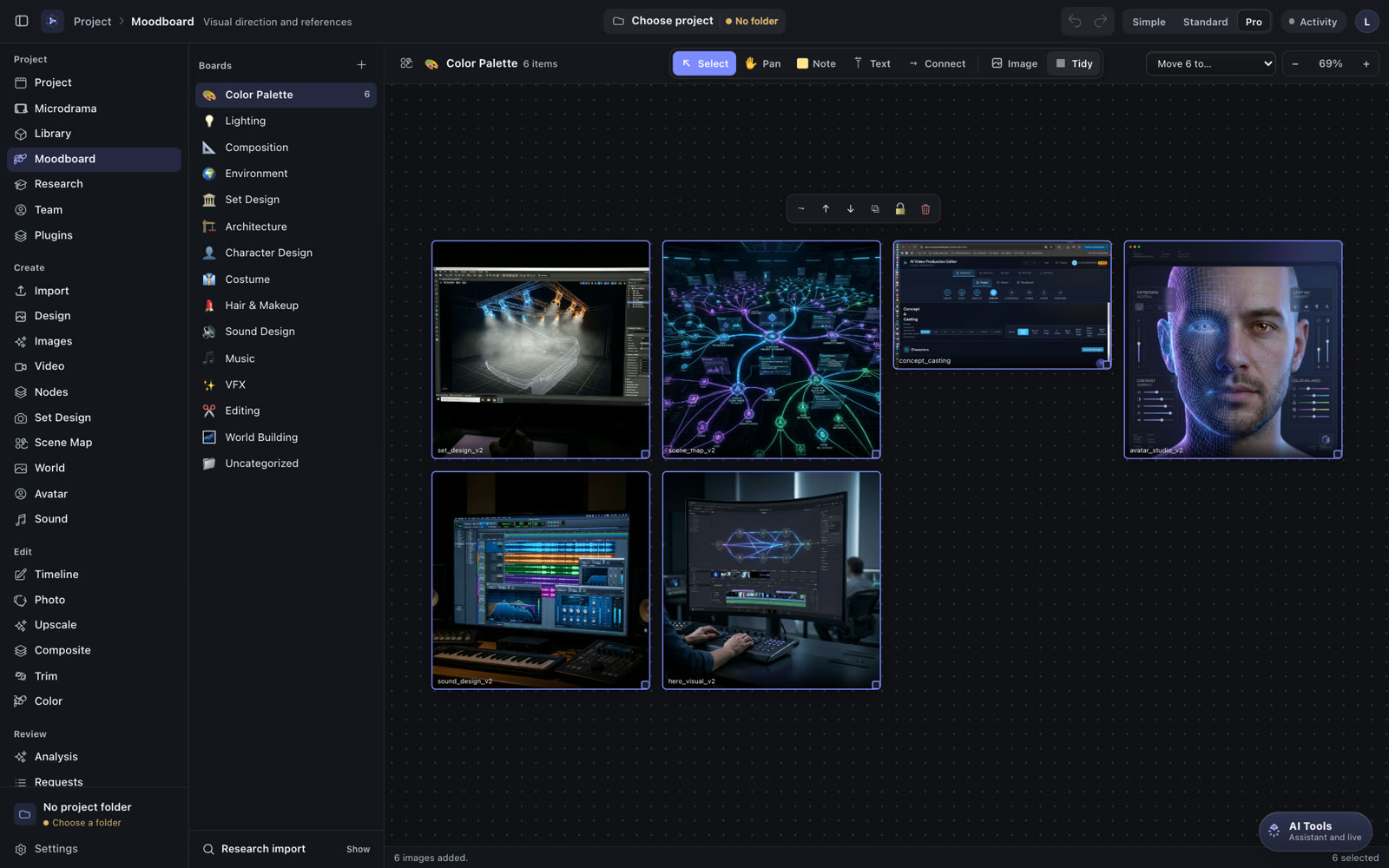
- Research graph & moodboards

Ever searched for creative software that feels like a gift from the gods?
The AI Video Production Editor that does everything you need to create art. Script, storyboard, generate, design sets, edit, grade, mix and deliver in one studio. Free and open source.
Every creative project starts with a spark you can't quite explain. The Buckswood mark tells that story in three gestures.
The goddess of the hunt sends the golden arrow: the idea that finds you. Buckswood is built to follow it from the first line of a script to the last frame.
The messenger of the gods carries it home. In Buckswood every tool speaks to every other, and to your AI agents, so nothing gets lost between departments.
The smile is the goal: for the director, the editor, the sound designer, the client and the audience. One studio, nobody left out.
Pages you already know from the big professional suites, rebuilt around AI and connected end to end. Bring your own model keys or run models locally.
Write, improve and break down your script with a director that plans coverage scene by scene.
Turn shots into images and video with the models you choose: FLUX.3, Nano Banana, Qwen Image, Krea, Kling, Veo and more.
A vision model checks every frame against its neighbours: wardrobe, props, eyelines, the 180° rule, and returns a concrete fix.
A Blender-style 3D workspace to block sets, place props and lights, and shoot reference frames for generation.
Plan blocking from above: actors, cameras, movement paths and the line of action, then turn it into a shot list.
A Premiere-style timeline with a native OFX host and the Buckswood Post Plugins: Optics Lab lens presets, film emulation and grain.
Grade with nodes and LUTs, composite in a node graph, and keep looks consistent across every generated shot.
Mix in the view you prefer: a Fairlight-style console, a Pro Tools-style edit window, or a compact creator view.
Export from a render queue laid out like DaVinci Resolve or from a Premiere-style export dialog. Same engine, your habits.
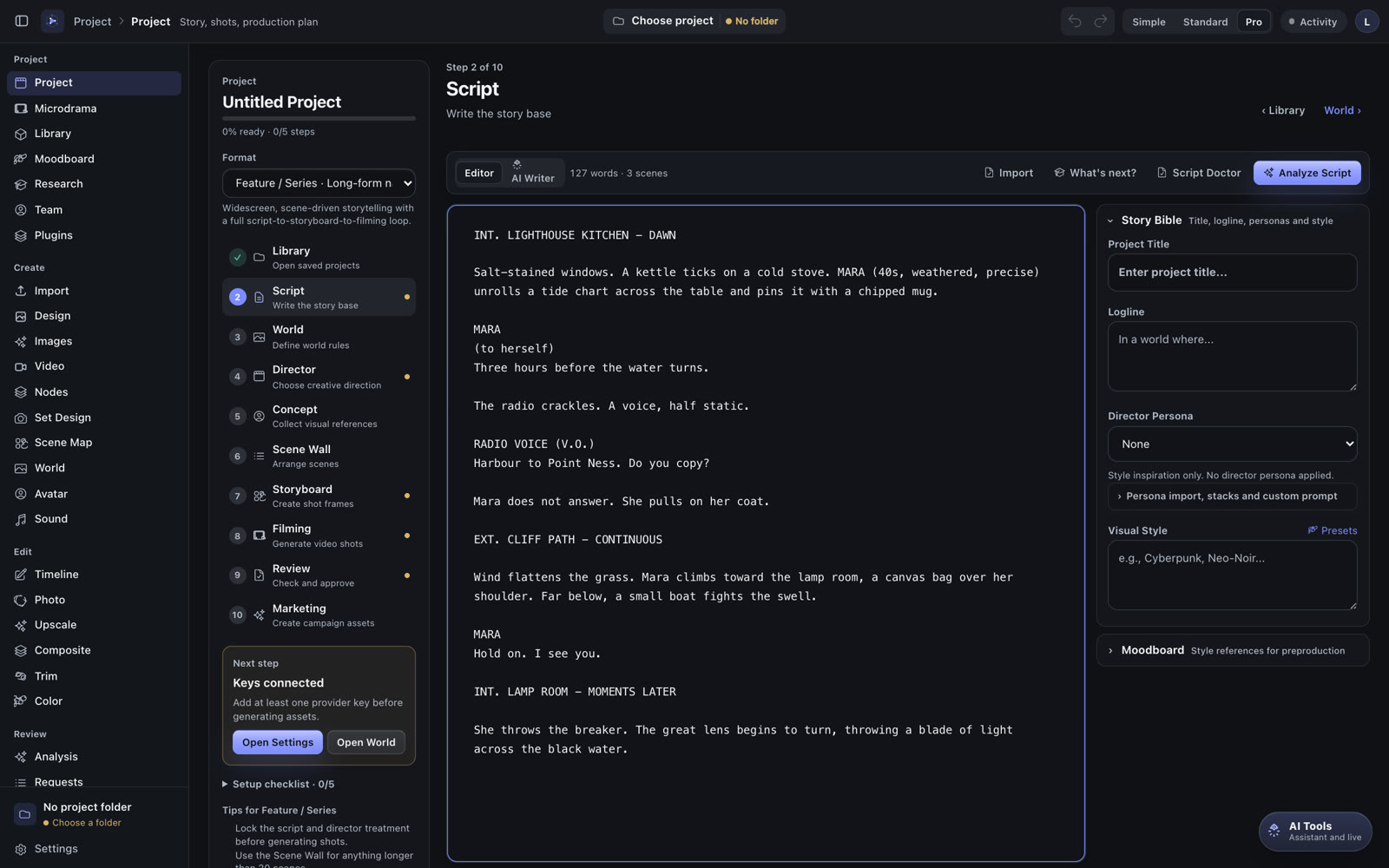
Script: write and break down your story with the AI director.
Buckswood runs a local MCP server and REST API. Connect Claude Code, Claude Desktop or Codex with one click in Settings, and the agent works on the same project you see, live.
# in Claude Code, with Buckswood open
> Break scene 3 into shots, generate the
  storyboard in 16:9 and check continuity.

● project_director_scenes   scene 3 · 7 shots
● project_generate_shot_images   7/7 done
● project_review_continuity   2 fixes applied

Done. The storyboard is open in the studio.
Install the desktop app, add your own AI provider keys or connect local models, and start creating.
Latest release: v3.1.0 release notes · All releases · Source code
The Windows installer is not code-signed yet. If SmartScreen asks, choose “More info” → “Run anyway”.